WordPress Guide · WordPress / Security
WordPress security after Black October
Is your PHP patched, has anyone already got in, six things that lock a site down, and how to get it back when something breaks.
· 7 min read · by Hadi Vahidi
October 2026 was a bad month for web security, bad enough to get a name. This guide puts three of my short videos in one place, with the details a reel has no room for: is your server's PHP patched, has anyone already got in, the six things that lock a WordPress site down, and how to get it back when something goes wrong.
01 Black October: is your PHP patched?
"Black October" is the name October 2026 earned for its run of serious security incidents. One of them sits underneath every WordPress site: PHP, the language WordPress runs on.
On 21 October 2026 the PHP project released four security updates and described them as fixing "two critical vulnerabilities that can allow unauthenticated remote code execution". In plain words, someone who has never logged in could run their own code on a server. On 26 October the US agency CISA added both flaws (CVE-2026-109618 and CVE-2026-109619) to its catalogue of vulnerabilities known to be exploited in real attacks.
| Your PHP branch | Fixed in |
|---|---|
| 8.5 | 8.5.12 |
| 8.4 | 8.4.27 |
| 8.3 | 8.3.36 |
| 8.2 | 8.2.35 |
| 8.1 and older | No fix from the PHP project |
Check your site in a minute
- In your dashboard, open Tools › Site Health › Info and expand Server. The row PHP version is the one you need.
- Compare it with the table. On the fixed release for your branch or newer, you are covered for these two flaws.
- Lower than that? Ask your host whether they have applied the 21 October fix. A host can patch PHP without changing the version number, so a lower number does not prove you are exposed, but only they can tell you.
- On PHP 8.1 or older, the PHP project no longer ships fixes. Some hosts and Linux distributions backport them, so ask; otherwise move up to a supported version.

One thing a reel can only say quickly: a WordPress update will not fix this. WordPress, your theme and your plugins are PHP programs; the flaw is in PHP itself, which your host runs. That is why the message goes to your host.
Hi, my WordPress site runs on PHP [your version]. Have you applied the PHP security releases of 21 October 2026 (CVE-2026-109618 and CVE-2026-109619) to my hosting? If my PHP version is no longer supported, can you move my site to a supported one?
02 Has anyone already got in? Three signs
A patch closes the door; it does not tell you whether someone walked through it first. These three checks take a few minutes and need nothing but your dashboard and Google.
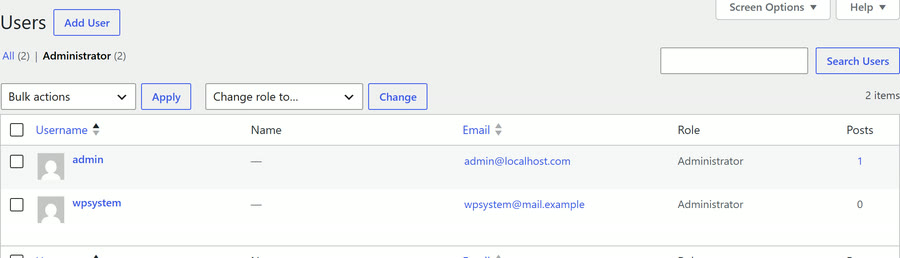
- An administrator you never added. Open Users and filter by Administrator. Every name there should be someone you know.
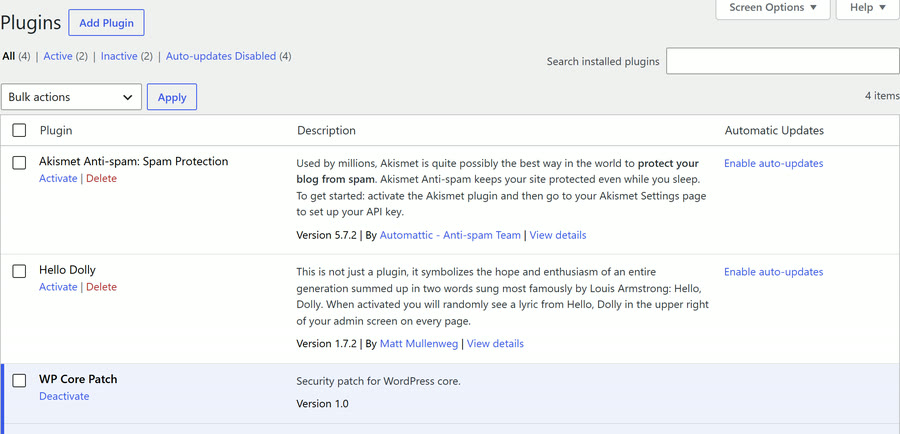
- A plugin you never installed. Open Plugins and read the whole list. A plugin you do not recognise, especially one with an official-sounding name, is worth asking about.
- Pages you never wrote, on Google. Search for
site:yourdomain.co.uk. Hacked sites often carry pages selling things the owner never sold.
03 Lock it down: six things
This reel ends on "Do you know how to tell if someone's already in?" The answer is section 02.
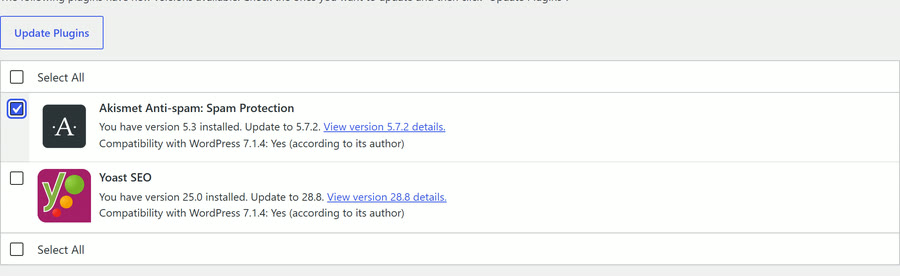
- Update WordPress, your theme and your plugins. Dashboard › Updates shows everything waiting. On the Plugins screen, Enable auto-updates next to a plugin keeps it current by itself.
- Delete the plugins and themes you do not use. Switched off is not the same as gone: a deactivated plugin's files are still on your server. WordPress's own hardening guide says it plainly: "if you are not using a specific plugin, delete it from the system."
- Never install a "nulled" plugin. A nulled plugin is a cracked copy of a paid one, passed around for free. It gets no updates, and it can hide malware.
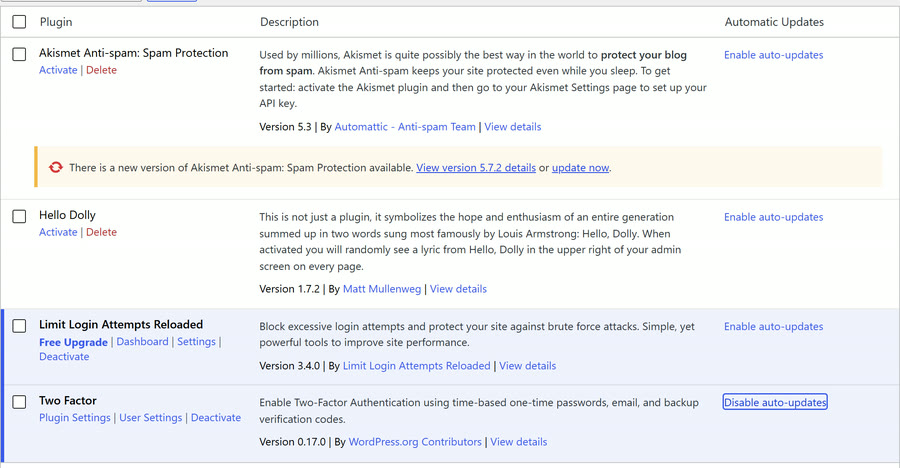
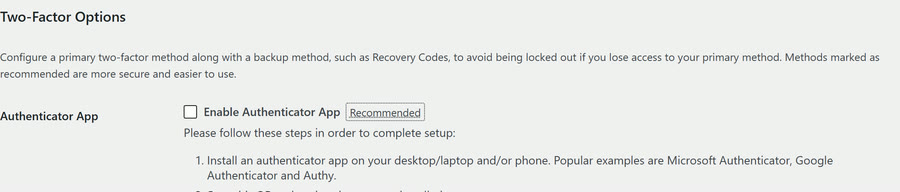
- A strong password, and two-factor login. A plugin such as Two Factor adds an authenticator app or a backup code to your profile, so a stolen password is not enough on its own.
- Limit login attempts. WordPress does not do this by itself: it lets anyone guess passwords as fast as they like. A plugin such as Limit Login Attempts Reloaded locks out an address after a few wrong guesses.
- Turn off file editing in the dashboard. One line in
wp-config.phpremoves the theme and plugin file editors, so someone who gets into an admin account cannot rewrite your PHP from the browser.

The line for wp-config.php goes above the comment that says "That's all, stop editing!":
define( 'DISALLOW_FILE_EDIT', true );WordPress's hardening guide is honest about its limits: it "will not prevent an attacker from uploading malicious files to your site, but might stop some attacks". It is one layer, not the whole wall.
04 Get it back: backups you can restore
The Black October reel ends on "If it was hacked, could you get it back?" This is the answer.
Most sites never get hacked. Plenty get broken by an update on an ordinary Tuesday. The fix for both is the same: a recent copy you can put back.
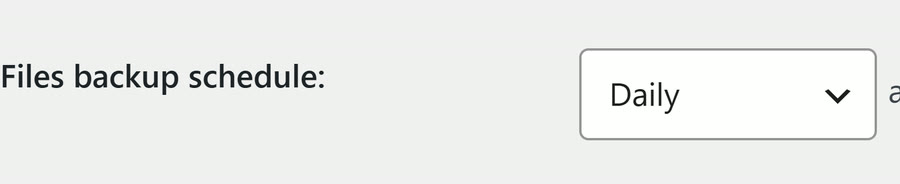
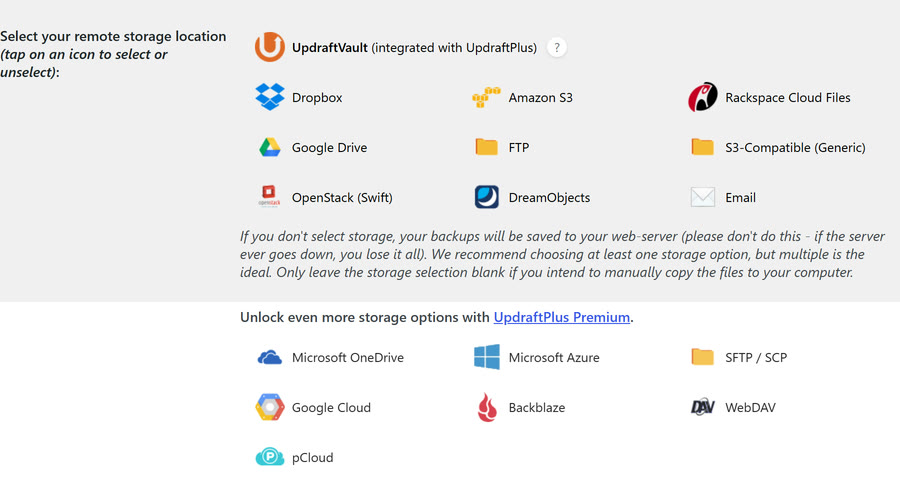
- Back up every day, and keep the copies off the server. A plugin such as UpdraftPlus can send backups to Google Drive or Dropbox on a schedule; many hosts back up too. A copy kept only on the server goes down with it.
- Test a restore, once, before you need it. Restore a backup to a staging copy or a test site and click around. You do not want to learn how restoring works on the day your site is down.
- Try big updates on a staging copy first. Many hosts offer a one-click staging site; a staging plugin does the same job.
- Update one plugin at a time, then check the site. If something breaks, you know which update did it, and you roll back one thing instead of guessing.
- Add uptime monitoring. A free monitor (UptimeRobot is one) checks your site every few minutes and emails you when it stops answering, so you hear before your customers do.
This reel ends on "Do you know what your cookie banner must do?" That one is in the forms and cookies guide.
05 Sources
- PHP project, security advisory and releases 8.5.12, 8.4.27, 8.3.36 and 8.2.35, 21 October 2026: php.net/archive/2026.php
- CISA, Known Exploited Vulnerabilities catalogue, CVE-2026-109618 and CVE-2026-109619 added 26 October 2026: cisa.gov
- Wikipedia, "Black October (information security)": en.wikipedia.org
- WordPress, Hardening WordPress (plugins, passwords, disabling file editing): developer.wordpress.org
Sources read on 9 November 2026.