WordPress Guide · WordPress / Upkeep & Legal
WordPress contact forms and cookie banners: what to check
Why a form can say thank you while the email never arrives, and what a cookie banner must do for visitors from the UK and the EU.
· 5 min read · by Hadi Vahidi
Two things on a small business site that look fine and quietly are not: a contact form that says "thank you" while the email never arrives, and a cookie banner that does not do what the law asks. This guide goes with two of my short videos and fills in the detail.
01 Your form says thank you. Did it send?
By default, WordPress sends email straight from your web server, and nothing on your domain vouches for it. Mail services treat that kind of message with suspicion, so it often lands in spam, or nowhere. The visitor sees "thank you" either way, and you never hear about the enquiry.
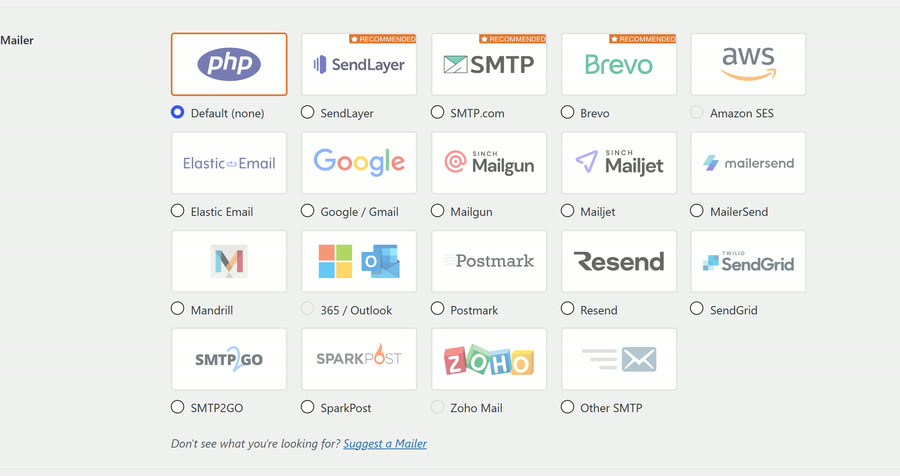
- Send through SMTP. A plugin such as WP Mail SMTP sends your site's email through a proper mail service (your email provider, or a sending service) instead of the web server.
- Add SPF, DKIM and DMARC records to your domain. They are how your domain vouches for its mail; your mail service gives you the values. The next section explains each in plain words.
- Stop spam bots with a CAPTCHA. Cloudflare Turnstile and Google reCAPTCHA are two; most form plugins support at least one.
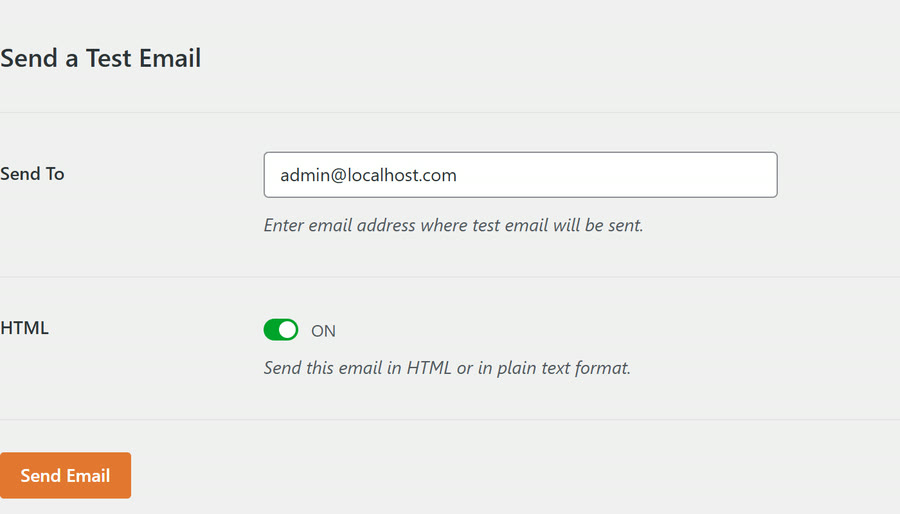
- Test it, every month. WP Mail SMTP has a test under WP Mail SMTP › Tools › Email Test. Then send a real message through the form itself, from an address that is not your own domain, and check it arrives.
This reel ends on "Do you know why Google can't find some WordPress sites?" That is in the SEO and speed guide.
02 SPF, DKIM and DMARC in plain words
- SPF is a list, published in your domain's DNS, of the services allowed to send email as you.
- DKIM is a signature your mail service adds to every message; the matching public key sits in your DNS, so a receiving server can check the message was not forged or changed.
- DMARC tells receiving servers what to do with a message that fails those checks, and where to send reports. Start with
p=none, which only watches, and tighten it once your own mail passes.
They are all TXT records, added where your domain's DNS is managed (often your domain registrar or Cloudflare). They look like this, with your service's own values:
yourdomain.co.uk     TXT  "v=spf1 include:spf.example-mail.com ~all"
mail._domainkey      TXT  "v=DKIM1; k=rsa; p=MIIBIjANBgkqh..."
_dmarc TXT "v=DMARC1; p=none; rua=mailto:dmarc@yourdomain.co.uk"03 UK or EU visitors? Check your cookie banner
The backups reel ends on "Do you know what your cookie banner must do?" This is the answer.
- No tracking until people say yes. Advertising, tracking pixels and most analytics wait for consent. One UK exception: since the Data (Use and Access) Act 2025, analytics whose only purpose is to understand and improve your own site may run without a yes, as long as you tell people clearly and give them a simple, free way to object. Anything used for advertising, or to follow people for other purposes, still needs a yes. EU countries set their own rules on this, so if you serve EU visitors, asking first is the safe default.
- Reject must be as easy as Accept. The ICO's checklist puts it as "Our consent mechanism makes it as easy to refuse consent as it is to accept". In practice: the same size of button, on the same layer, in the same number of clicks.
- Using Google tags (Analytics, Ads)? Set up Consent Mode v2 with your banner, so your visitor's answer reaches Google's tags. Version 2 adds two settings,
ad_user_dataandad_personalization, to the olderad_storageandanalytics_storage. - Hold back YouTube videos and Google Maps until a yes. Embeds from other companies can set their own cookies the moment the page loads. A consent plugin can show a "load video" or "load map" placeholder instead.
This reel ends on "Is your contact form actually sending?" The answer is section 01.
04 Your privacy page, and what your forms keep
The last two points from the reel, which are about telling people rather than asking them.
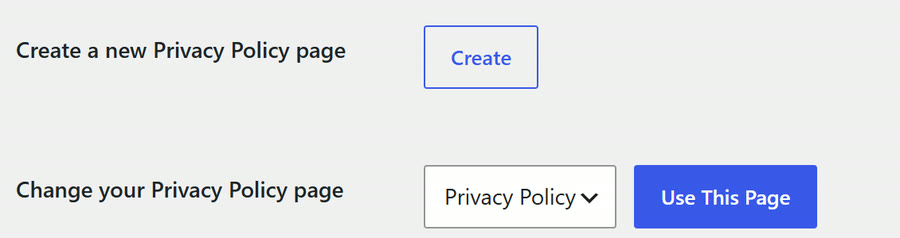
- Write your privacy page. Settings › Privacy creates one for you, and its Policy Guide suggests text for WordPress and for many plugins. Edit it to say what your site actually does: which forms, which analytics, which embeds.
- Say what your forms keep, and for how long. Some form plugins store every message in your database as well as emailing it. Say so on the privacy page, and delete old entries on a schedule you can explain.
05 Sources
- ICO, Guidance on the use of storage and access technologies (finalised 29 April 2026, with the exceptions added under the Data (Use and Access) Act 2025): ico.org.uk
- ICO, How do we manage consent in practice? (the checklist with "as easy to refuse consent as it is to accept"): ico.org.uk
- Google, Consent mode on websites (the four consent parameters): developers.google.com
Sources read on 9 November 2026. General information, not legal advice.